SpringBoot与web开发(一)-----SpringBoot快速使用
SpringBoot快速使用,自动配置,静态资源映射
Page content
1. 开始使用
- 创建springBoot 应用 选择需要的模块
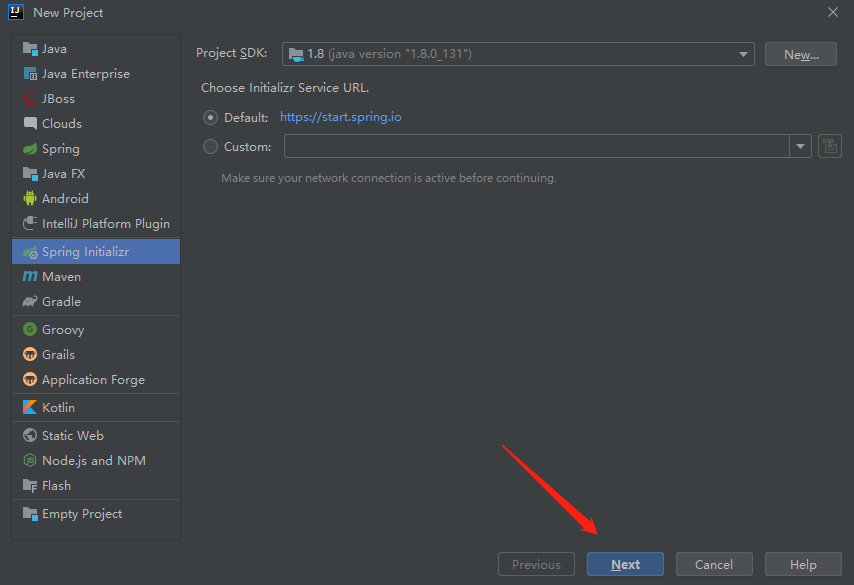
创建springboot
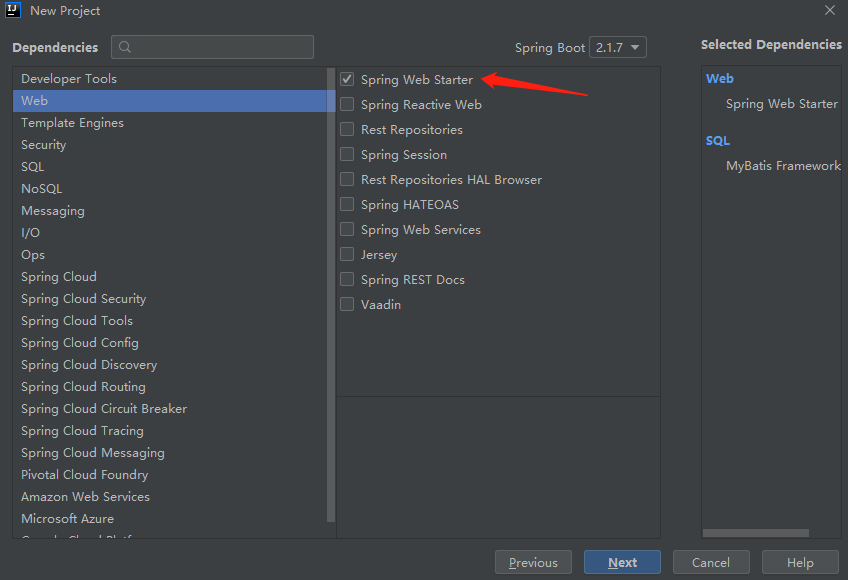
选择模块
SpringBoot 已经为我们把需要的配置自动装配好,只需要在后续的开发中,在配置文件中进行设置即可
编写代码
2. 自动配置
XXXXXAutoConfiguration  :在容器中自动配置组件
XXXXXProperties  : 配置类
这些文件都在通过Mavan引入的外部库中,org.springframework.boot.autoconfigure。
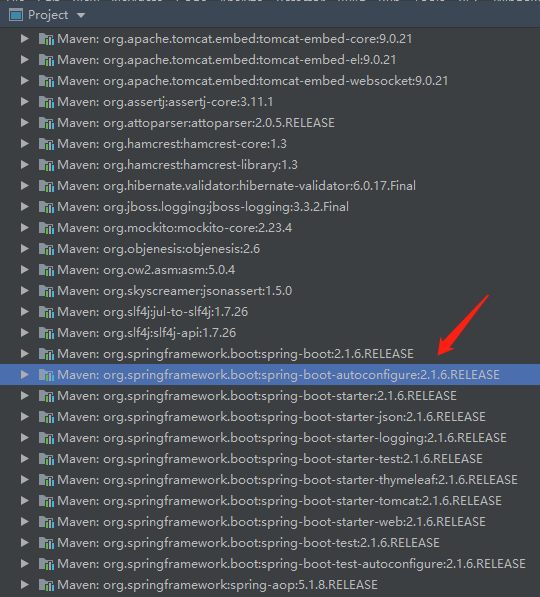
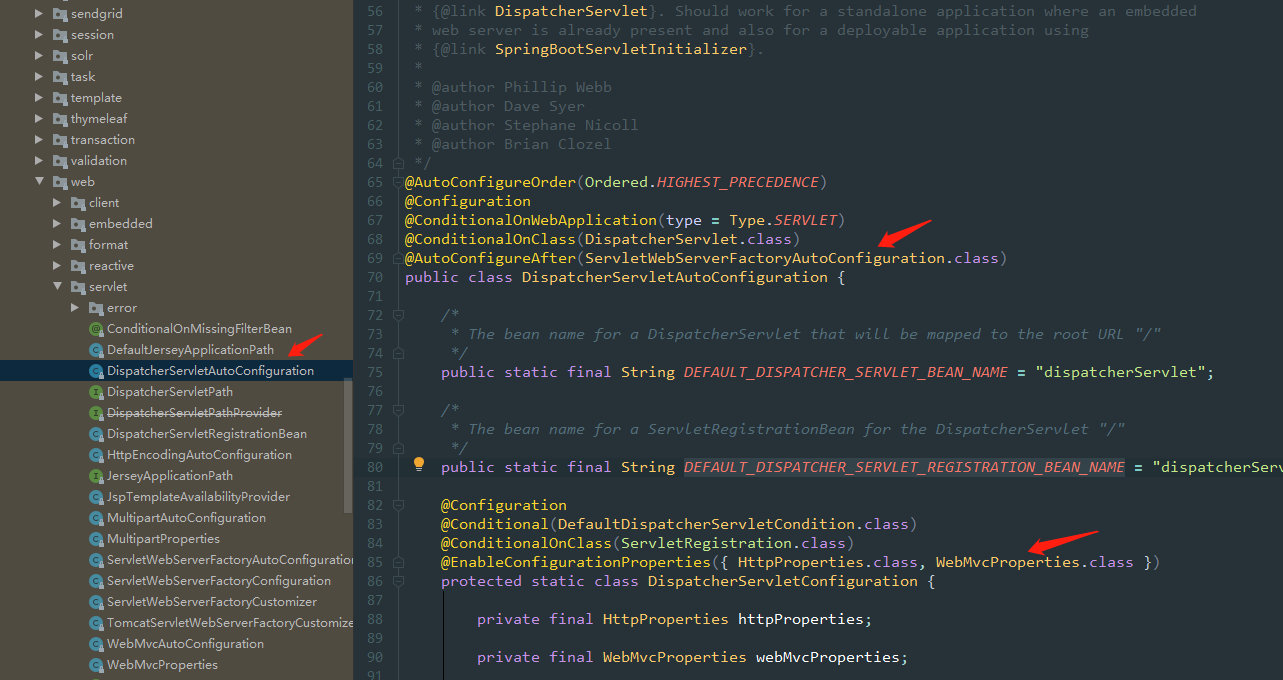
3. 静态资源映射规则
默认创建的 SpringBoot 项目是没有web文件夹的,那如何映射css,js等静态资源呢?
Spring boot 会自动装配WebMvcAutoConfiguration类,会对静态资源的映射做出规定,
@Override
		public void addResourceHandlers(ResourceHandlerRegistry registry) {
			if (!this.resourceProperties.isAddMappings()) {
				logger.debug("Default resource handling disabled");
				return;
			}
			Duration cachePeriod = this.resourceProperties.getCache().getPeriod();
			CacheControl cacheControl = this.resourceProperties.getCache().getCachecontrol().toHttpCacheControl();
			if (!registry.hasMappingForPattern("/webjars/**")) {
				customizeResourceHandlerRegistration(registry.addResourceHandler("/webjars/**")
						.addResourceLocations("classpath:/META-INF/resources/webjars/")
						.setCachePeriod(getSeconds(cachePeriod)).setCacheControl(cacheControl));
			}
			String staticPathPattern = this.mvcProperties.getStaticPathPattern();
			if (!registry.hasMappingForPattern(staticPathPattern)) {
				customizeResourceHandlerRegistration(registry.addResourceHandler(staticPathPattern)
						.addResourceLocations(getResourceLocations(this.resourceProperties.getStaticLocations()))
						.setCachePeriod(getSeconds(cachePeriod)).setCacheControl(cacheControl));
			}
		}
1. 所有webjars/**都会在classpath:/META-INF/resources/webjars/下面去找资源
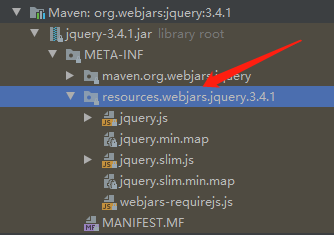
- webjars : 以jar的形式引入 (https://www.webjars.org/)
- 好处: (1)将静态资源版本化,更利于升级和维护 (2)剥离静态资源,提高编译速度和打包效率(3)实现资源共享,有利于统一前端开发。
- 访问资源 localhost:8080/webjars/jquery/3.4.1/jquery.js
pom.xml
<dependency>
        <groupId>org.webjars</groupId>
        <artifactId>jquery</artifactId>
        <version>3.4.1</version>
    </dependency>
2. **/ 当前项目下的任何资源
@ConfigurationProperties(prefix = "spring.resources", ignoreUnknownFields = false)
public class ResourceProperties {

private static final String[] CLASSPATH_RESOURCE_LOCATIONS = { "classpath:/META-INF/resources/",
		"classpath:/resources/", "classpath:/static/", "classpath:/public/" };
默认寻找静态资源的文件夹路径:
- classpath:/META-INF/resources/
- classpath:/resources/
- classpath:/static/
- classpath:/public/
- /
例如: localhost:8080/XXX 默认就去以上路径去找
3. 映射index页面
@Bean
public WelcomePageHandlerMapping welcomePageHandlerMapping(ApplicationContext applicationContext) {
   return new WelcomePageHandlerMapping(new TemplateAvailabilityProviders(applicationContext),
         applicationContext, getWelcomePage(), this.mvcProperties.getStaticPathPattern());
}
*满足访问/* 的访问路径 **
例如:localhost:8080/
4. 页面的小图标 favicon
@Configuration
		@ConditionalOnProperty(value = "spring.mvc.favicon.enabled", matchIfMissing = true)
		public static class FaviconConfiguration implements ResourceLoaderAware {

			private final ResourceProperties resourceProperties;

			private ResourceLoader resourceLoader;

			public FaviconConfiguration(ResourceProperties resourceProperties) {
				this.resourceProperties = resourceProperties;
			}

			@Override
			public void setResourceLoader(ResourceLoader resourceLoader) {
				this.resourceLoader = resourceLoader;
			}

			@Bean
			public SimpleUrlHandlerMapping faviconHandlerMapping() {
				SimpleUrlHandlerMapping mapping = new SimpleUrlHandlerMapping();
				mapping.setOrder(Ordered.HIGHEST_PRECEDENCE + 1);

				mapping.setUrlMap(Collections.singletonMap("**/favicon.ico", faviconRequestHandler()));
				return mapping;
			}

			@Bean
			public ResourceHttpRequestHandler faviconRequestHandler() {
				ResourceHttpRequestHandler requestHandler = new ResourceHttpRequestHandler();
				requestHandler.setLocations(resolveFaviconLocations());
				return requestHandler;
			}

			private List<Resource> resolveFaviconLocations() {
				String[] staticLocations = getResourceLocations(this.resourceProperties.getStaticLocations());
				List<Resource> locations = new ArrayList<>(staticLocations.length + 1);
				Arrays.stream(staticLocations).map(this.resourceLoader::getResource).forEach(locations::add);
				locations.add(new ClassPathResource("/"));
				return Collections.unmodifiableList(locations);
			}

		}
默认就是启动的
同样是满足/**的映射路径